# Webhooks
{% hint style="info" %}
**Before you begin**
Learn how to build Private Plugins [here](https://help.usetrmnl.com/en/articles/9510536-private-plugins). The guide below only explains how to use the "Webhook" data retrieval strategy.
{% endhint %}
### Rate Limits
*Request volume*
You may send data to TRMNL's server up to 12x per hour. [TRMNL+](https://help.usetrmnl.com/en/articles/11861887-trmnl-faq) subscribers may send up to 30x payloads per hour. Webhooks sent at a faster pace will receive a `429` rate limit response. To temporarily increase your rate limit during development, enable "Debug Logs" on your plugin settings page.
*Request size*
You may send up to 2kb of data. [TRMNL+](https://help.usetrmnl.com/en/articles/11861887-trmnl-faq) subscribers may send up to 5kb of data. To stay within these boundaries while also creating a data rich experience, consider using the `deep_merge` and `stream` strategies documented below.
### Authorization
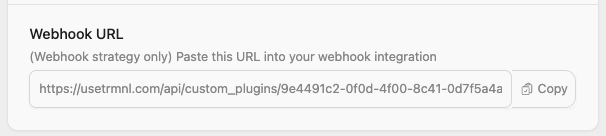
TRMNL has Device API Keys, User API Keys, and Plugin Setting UUIDs. For private plugin screen generation, we'll use your Plugin Settings UUID.
This is accessible from your plugin instance's configuration form > Webhook URL field.
Private Plugin Webhook URL w/ UUID
{% hint style="info" %}
**Note:** you must "save" (create) a private plugin instance to generate a UUID and Webhook URL.
{% endhint %}
### Set new content
Send a `POST` request to your Webhook URL. Put data inside a `merge_variables` node like so:
```
curl "https://usetrmnl.com/api/custom_plugins/asdfqwerty1234" \
-H "Content-Type: application/json" \
-d '{"merge_variables": {"text":"You can do it!", "author": "Rob Schneider"}}' \
-X POST
```
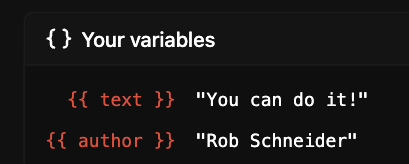
You will see this payload inside the Your Variables dropdown of the Markup Editor.
Your variables - available inside the Markup Editor
### Get merge variable content
To fetch existing `merge_variables` from a private plugin, `GET` from the same endpoint:
```
curl "https://usetrmnl.com/api/custom_plugins/asdfqwerty1234"
```
### Update existing content
If your private plugin needs to maintain state over time, for example an ever-growing todo list or a data visualization, you may prefer to send only "new" data points to your TRMNL plugin.
There are two strategies to accomplish this: `deep_merge`, and `stream`.
#### Deep merge strategy
The `deep_merge` strategy combines existing key/value pairs with the new values incoming on the webhook. It's a good way to update nested data with only a few values here and there.
```
curl "https://usetrmnl.com/api/custom_plugins/asdfqwerty1234" \
-H "Content-Type: application/json" \
-d '{"merge_variables": {"sensor": {"temperature": 42}}, "merge_strategy": "deep_merge"}' \
-X POST
```
#### Stream strategy
The `stream` strategy is useful for accumulating values in arrays. Any top-level arrays are appended with the incoming values, and the `stream_limit` parameter ensures that old values drop off the arrays so they don't grow forever.
```
curl "https://usetrmnl.com/api/custom_plugins/asdfqwerty1234" \
-H "Content-Type: application/json" \
-d '{"merge_variables": {"temperatures": [40, 42]}, "merge_strategy": "stream", "stream_limit": 10}' \
-X POST
```
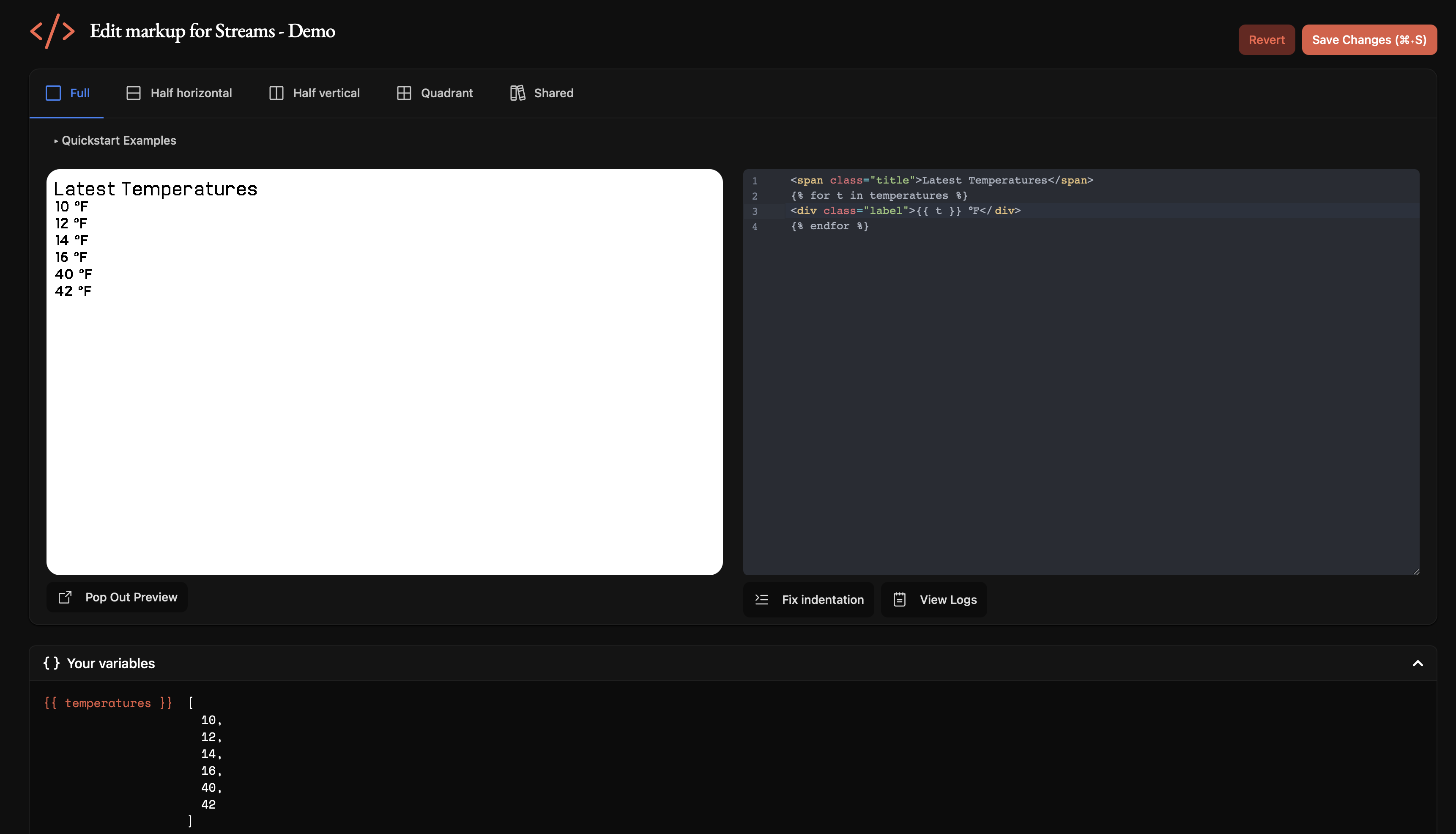
Now you may iterate through the combined data inside your markup, for example:
Accessing streamed webhook data
## Troubleshooting
For more help, see our [Private Plugin guide](https://help.usetrmnl.com/en/articles/9510536-custom-plugins) or join the developer Discord from your account tab.