> For the complete documentation index, see [llms.txt](https://docs.trmnl.com/go/llms.txt). Markdown versions of documentation pages are available by appending `.md` to page URLs; this page is available as [Markdown](https://docs.trmnl.com/go/plugin-marketplace/plugin-management-flow.md).
# Plugin Management Flow
Ability for users to manage their plugin on your web server.
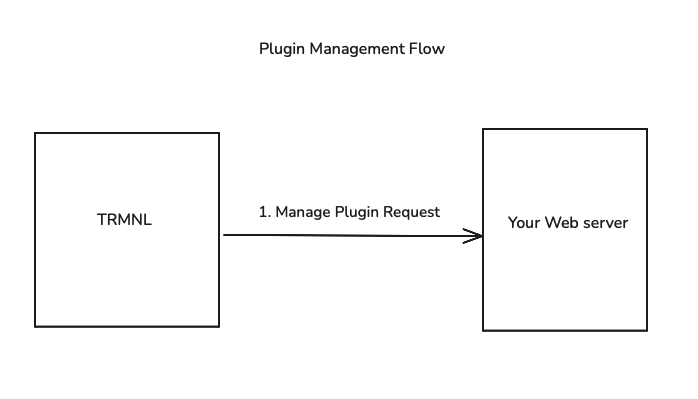
After a user installs your plugin, they may want to manage the plugin settings. The instance's settings page on TRMNL shows a **Configure** button that opens your `plugin_management_url` in a new tab, with 2 query params: the instance `uuid` + a signed `jwt`.
Example request:\
`https://yourapp.com/manage?uuid=ae48d6ac-48f4-4aed-8464-bad68368e97c&jwt=eyJraWQiOi...`
**Note**: The UUID is the unique user identifier in the TRMNL plugin architecture. This allows TRMNL users to have multiple instances of the same plugin, each with their own settings.
{% hint style="warning" %}
TRMNL appends `?uuid=...` to your URL as-is, so register a `plugin_management_url` without a query string of its own.
{% endhint %}
**Verify the JWT before trusting the UUID.** Anyone can type a UUID into a URL; only TRMNL can sign the token. It's an `RS256` JWT with a `kid` header, and our public keys live at:
```
https://trmnl.com/.well-known/jwks.json
```
Its claims:
```json
{
"sub": "ae48d6ac-48f4-4aed-8464-bad68368e97c",
"aud": "",
"iat": 1747596567,
"exp": 1747596687
}
```
Check that `sub` matches the `uuid` param and `aud` matches the Client ID shown under [My Plugins](https://trmnl.com/plugins/my). The token expires 2 minutes after TRMNL issues it, so verify it on landing + start your own session from there.
If you saved the `plugin_setting_id` from the [Installation Flow](/go/plugin-marketplace/plugin-installation-flow.md), you can build a helpful "Back to TRMNL" button in your Management UI.
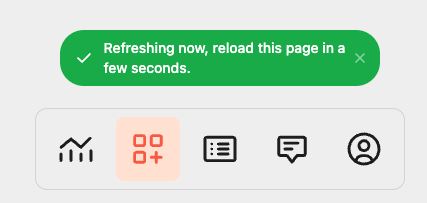
By appending `?force_refresh=true` to your return link (`https://trmnl.com/plugin_settings/:plugin_setting_id/edit?force_refresh=true`), TRMNL will invoke a [Screen Generation request](/go/plugin-marketplace/plugin-screen-generation-flow.md) on the user's behalf and present a toast message when they're back inside the TRMNL application. Each forced refresh counts against the account's hourly allowance of manual refreshes.